


Scroll & Collage Maker: InsMix
4.669.00 Reviews
App Specs
- Version
- 1.12.3
- Updated On
- License
- Free
- Downloads
- 1,000,000+
- Developer
- Daily Joy Studio
- Categories
- Photography
- Platform
- Android
Screenshots
 Analysis by AppCompare
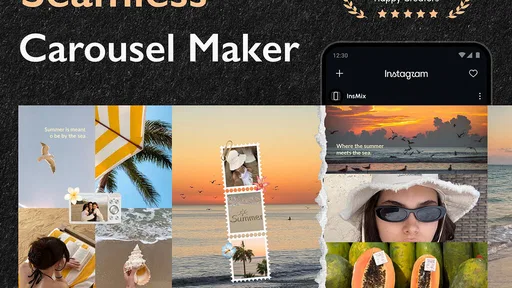
I tend to reach for a collage app when a set of photos feels like one story but no single image can carry it. That is the central appeal of Scroll & Collage Maker: InsMix: it gives those pictures a connected, swipe-through presentation instead of making me squeeze them into one crowded square. I find that especially useful for social posts where the order and pacing of images matter as much as the pictures themselves.
InsMix is a free photography app from Daily Joy Studio. It has a 4.5 average from around 9,300 ratings and more than a million installs, so it has found an audience among people who want to prepare visual posts on a phone. The app is rated for Everyone, and its current version is 1.8.2. Optional in-app purchases range from $2.99 to $21.99 per item, which is worth keeping in mind if you plan to explore paid extras rather than stick with what is available at no cost.
Why a swipe-through layout changes the post
A standard collage makes several photos visible at once. That can be handy for a quick recap, but it also asks the viewer to take in everything immediately. A connected carousel gives each image more room and lets the sequence unfold as someone swipes. In my view, that is the more interesting choice when I want to show a process, compare a few details, or move from a wide scene to close-ups without turning the caption into an explanation.
The difference is practical, not just decorative. A food post, for example, can begin with the finished plate and continue with ingredients or a detail of the setting. A small shop could use the same structure to show a product from several angles. For a personal travel recap, one panel can establish the place while the next images focus on details that would disappear in a dense grid. The viewer still has to choose to swipe, so this format works best when the first image gives them a reason to continue.
That is why I would not treat every set of photos as a carousel. If the images are unrelated, a multi-panel design can make the post feel like a collection without a point. I get better results when I decide on the order first: opening image, supporting views, and a final frame that feels like a natural stopping place. Even a simple sequence can feel deliberate when the transitions and subject matter agree.
Getting Started with InsMix
First things first, downloading Scroll & Collage Maker: InsMix was a breeze. Available on both Android and iOS, the app doesn’t take up much space, which is a bonus if your phone is already packed with photos and apps. Once installed, you’re greeted with a simple and intuitive interface that’s easy to navigate—even if you’re not exactly tech-savvy.
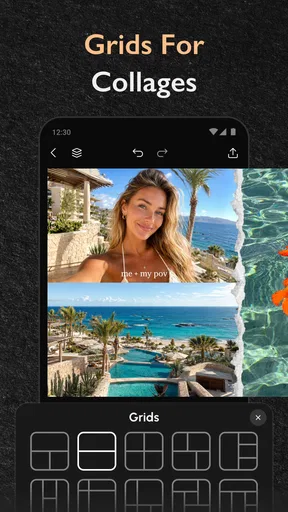
Upon opening the app, you’ll notice a clean layout with various features neatly organized. The home screen gives you options to create traditional collages, scrollable posts, and even freestyle designs. This variety means you can choose whatever style fits your mood or the vibe you’re going for on your social media.
Worth Reading Before You Choose

EA SPORTS FC Mobile 26 Is a Bigger Football Game, but It Takes Time

Flipboard Shows What News Apps Must Do Beyond the Feed

Switching to Android Auto Means Rethinking Your Driving Routine

Google Calendar Makes a Crowded Week Easier to Manage

Ludo King Makes the Most of the Minutes Between Plans

Baby Panda World Brings Quick Play to Modern Phones, but Its Game Library Feels Busy
Since the main decision is often whether to make a single collage or a swipeable sequence, I would make that choice before browsing layouts. A one-frame collage suits a quick set of unrelated snapshots; a scrollable post is better when the images build on one another. Starting with the purpose also helps keep the design from becoming a pile of decorations in search of a story.
The Creative Process
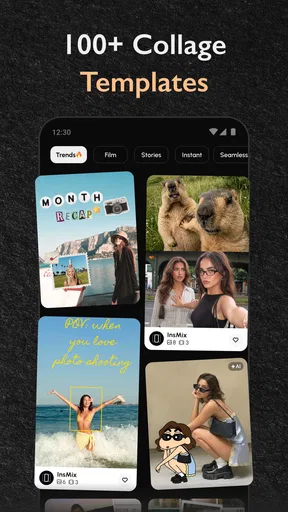
Now, let’s dive into the fun part—creating your masterpiece. The app provides a plethora of templates and layouts that cater to both minimalists and those who love a bit of flair. Personally, I was drawn to the scrollable post feature. It’s a nifty way to tell a story with your images, almost like a digital photo strip that your followers can swipe through.
Adding photos is straightforward. You can select images directly from your gallery or even take new ones on the spot. The app supports high-resolution images, so you don’t have to worry about losing quality. Once your photos are in, you can easily rearrange them by dragging and dropping, which I found incredibly satisfying.
For a more polished sequence, I would sort the candidates before opening the editor rather than selecting every possible shot and trying to rescue the order later. Put similar lighting and colors near each other, and avoid placing several nearly identical frames back-to-back. A swipe gives each picture its own moment, but repetition can still make a carousel drag. I also like to check the first and last panels together: the opener should make sense on its own, while the ending should not feel like the sequence was cut off by accident.
One useful trade-off is that a connected layout rewards consistency. Mixing portrait and landscape photos can be expressive, but it can also make the overall design feel uneven if the crops pull attention away from the subject. When a source image is important, I would rather choose a layout that gives it breathing room than force every picture into matching proportions. A template is a starting point, not a reason to sacrifice the details that made a photo worth including.
Customization Galore
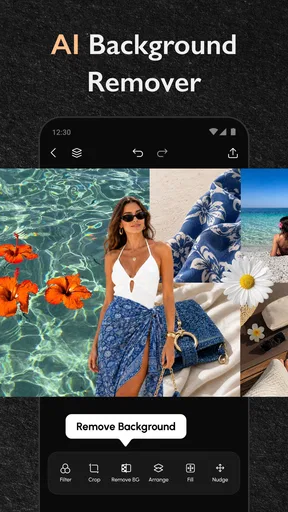
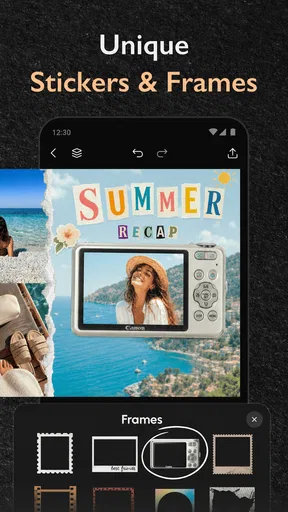
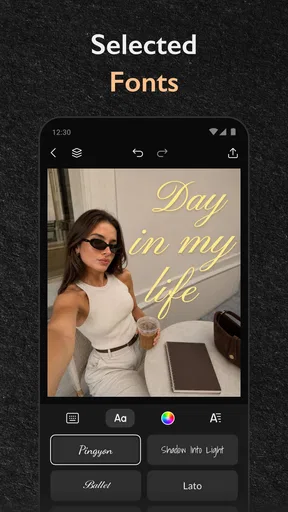
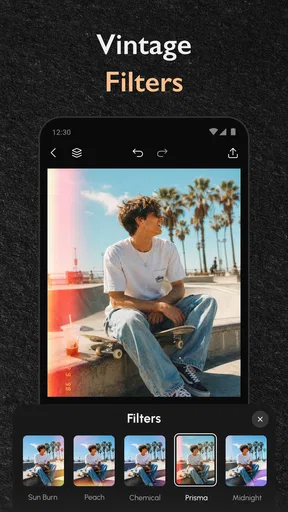
What sets InsMix apart is its customization options. You can tweak everything from the border thickness to the background color, giving your collage a personal touch. There are also tons of stickers, fonts, and filters to play around with. Whether you’re into vintage vibes or modern aesthetics, there’s something for everyone.
For someone who loves experimenting with different looks, I appreciated the freedom to layer stickers and text. You can even adjust the opacity and shadows to make your elements pop. It’s like Photoshop, but way less complicated. And if you’re ever stuck, the app offers some pretty helpful tutorials and tips to get your creative juices flowing.
My main design tip is to pick one visual accent and let the photos do most of the work. A restrained background, a consistent border, or one short text label can tie panels together; stacking stickers, filters, shadows, and multiple fonts can compete with the images instead. I would also preview the full sequence after changing a style. A treatment that looks lively on one panel may feel repetitive across every swipe, particularly when the pictures already have strong colors.
Text is most useful when it adds context that the image cannot provide, such as a location or a brief step in a process. If it merely repeats what is obvious in the photo, it takes up visual space without helping the viewer. I would keep labels short and use them consistently, rather than giving every frame a different type treatment. That simple restraint makes the result feel more like one planned post and less like several unrelated edits joined together.
Sharing Your Creations
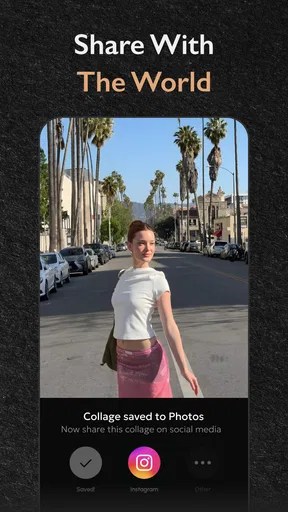
Once you’ve crafted your perfect collage or scrollable post, sharing it is a cinch. You can directly upload your creations to social media platforms like Instagram, Facebook, and Twitter. The app optimizes the size for each platform, so you don’t have to worry about awkward cropping or resizing.
If you’re someone who likes to keep things organized, InsMix offers options to save your projects in folders right within the app. This feature is a lifesaver for those who create content regularly and need to keep track of their work.
A realistic use for those folders is keeping drafts separate by purpose: a weekend recap, a product post, and a set of images for a personal event need different ordering and visual choices. Saving work this way can make it easier to return to a draft without starting over, but I would still check the finished export before posting. The final review is where I catch an image that feels out of place, text that distracts, or an opening frame that does not communicate the subject quickly enough.
Compared with making a quick collage in a phone’s built-in photo tools, InsMix is more appealing when the result needs a designed sequence and a consistent look. A general photo editor may be the better choice if your priority is careful retouching of one image, while a broader design tool may suit someone building posters or layouts for many different formats. InsMix has a narrower purpose: arranging photos into social-ready compositions. That focus is convenient, though it is not a substitute for a full editing workflow when detailed image correction is the main task.
It is also sensible to consider the optional purchases before building a routine around the app. The app is free to start, but individual in-app items can cost from $2.99 to $21.99. I would first make a few real posts with the available options and decide whether a particular paid item solves a recurring problem. If you only need an occasional collage, paying for extras may not add much; if a specific design element becomes part of your regular workflow, the value is easier to judge for yourself.
Who will get the most from it
I think InsMix is best for someone who posts from a phone and wants more control over how several images sit together, especially when a swipeable sequence is more useful than a single grid. It can suit a casual creator sharing trips or meals, as well as a small seller who needs a tidy way to present product details. The benefit is less about elaborate graphic design and more about making a group of photos feel connected before it reaches a social feed.
It is less suitable if you rarely combine images, prefer unedited single-photo posts, or need advanced photo retouching rather than layout tools. It may also frustrate anyone who wants every post to be assembled automatically: choosing a good sequence still takes judgment, and customization can tempt you to spend time on decorative details that do not improve the story. For a quick one-off post, the simplest tool already on your phone may be enough.
Final Thoughts
Overall, Scroll & Collage Maker: InsMix is a fantastic tool for anyone looking to spice up their social media game. It’s user-friendly, packed with features, and offers a lot of creative freedom. Whether you’re a casual user or a content creator, this app is definitely worth checking out. So go ahead, give it a whirl, and let your creativity shine!
My recommendation comes with one condition: use the scrollable format because your pictures benefit from a sequence, not simply because it is available. Plan the story, keep the styling consistent, and review the flow before sharing. When I approach it that way, InsMix feels like a practical photography companion rather than another place to decorate images. For people who want that extra control over a multi-photo post, it is worth trying; for everyone else, a basic collage or single-photo editor may be the more sensible choice.
Pros
- User-friendly interface for quick editing.
- Wide variety of collage templates available.
- High-quality export options for social media.
- Supports multiple image formats seamlessly.
- Includes creative filters and effects.
Cons
- In-app purchases can be expensive.
- Occasional ads interrupt editing flow.
- Limited free features available.
- Some features require a stable internet connection.
- Lacks advanced editing tools for professionals.
FAQs for Scroll & Collage Maker: InsMix
What features does Scroll & Collage Maker: InsMix offer?
Scroll & Collage Maker: InsMix provides a wide range of features, including customizable collage templates, scroll layout options, and an intuitive photo editor. Users can add text, stickers, and filters to enhance their creations. The app also supports high-resolution exports, making it ideal for sharing on social media platforms.
Is Scroll & Collage Maker: InsMix free to use?
Scroll & Collage Maker: InsMix is available for free with basic features. However, it offers in-app purchases for advanced editing tools and premium templates. These purchases can enhance the user experience by providing additional customization options and removing ads, making it more versatile for creative projects.
Does Scroll & Collage Maker: InsMix have social media integration?
Yes, Scroll & Collage Maker: InsMix has robust social media integration. Users can easily share their collages and scrolls directly to platforms like Instagram, Facebook, and Twitter. This seamless sharing capability helps users showcase their creativity to a wider audience without hassle.
Is Scroll & Collage Maker: InsMix suitable for beginners?
Absolutely, Scroll & Collage Maker: InsMix is designed with a user-friendly interface that caters to both beginners and experienced users. The app provides easy-to-follow tutorials and intuitive tools that allow newcomers to create stunning collages and scrolls with minimal effort and learning curve.
What types of media can I use with Scroll & Collage Maker: InsMix?
Scroll & Collage Maker: InsMix supports a variety of media types, including photos, GIFs, and videos. Users can import their favorite media from their device gallery or capture new content directly within the app. This versatility allows for dynamic and engaging creations, suitable for various projects.


